


Music Maker JAM: Beatmaker app
4.654.27K Reviews
App Specs
- Version
- 8.3.0
- Updated On
- License
- Free
- Downloads
- 10,000,000+
- Developer
- Loudly
- Categories
- Music & Audio
- Platform
- Android, iOS
Screenshots
 Analysis by AppCompare
I tend to judge a music-making app by what happens after the first burst of inspiration: can I turn a half-formed idea into something I can revisit, refine, and pass along? Music Maker JAM is built around making that first step approachable. It gives me a quick route from choosing a musical direction to arranging sounds, without asking me to begin with a blank timeline or learn a full desktop production setup first.
A quick way to get an idea moving
That makes it a natural fit for short creative windows. If I have a melody or rhythm in mind while waiting for a ride, or want to make a playful backing track for a video idea, I can start experimenting rather than spend the whole session preparing a project. Its loop-based approach is especially useful when I know the mood I want but don’t yet have a complete composition in my head.
The trade-off is that a library of ready-made material can steer the sound as much as it helps. I can build quickly by combining musical parts, but that workflow is different from recording every instrument myself. For a personal sketch or a first beat, that is a strength; for a very distinctive arrangement, I may need to work harder to make the result feel like my own.
Choosing a workflow that suits the project
I would use the app differently depending on what I want to finish. For a quick beat, I’d pick a starting style, arrange a few parts, and listen for whether the rhythm has enough contrast to hold attention. For a longer idea, I’d treat the first pass as a rough draft: keep the arrangement simple, save the parts that work, and return later with a clearer ear. This is a more useful mindset than trying to make every early choice sound final.
That approach also helps if you are new to music production. Instead of worrying about theory before you begin, you can learn by noticing how one layer changes the feel of another. I’d recommend making a small loop first, then changing just one element at a time. If the whole mix changes at once, it is much harder to tell which choice improved it.
Where it sits among music-making apps
Compared with a traditional digital audio workstation, this is the more immediate option: it favors getting a musical sketch together over giving you a deep, open-ended production environment. That makes it less intimidating for casual creators, but it also means someone who wants precise recording, extensive editing, or a detailed studio workflow may be happier with a more specialized tool. I see it as a fast idea bench rather than a replacement for every stage of producing a finished song.
It also differs from simple audio editors, which are usually better once you already have recorded material and mainly need to trim or arrange it. Here, the creative starting point is the music itself: selecting and combining parts, then shaping how they sit together. If your goal is to capture a live instrument performance in detail, an app designed around recording will likely be a better match.
Worth Reading Before You Choose

EA SPORTS FC Mobile 26 Is a Bigger Football Game, but It Takes Time

Flipboard Shows What News Apps Must Do Beyond the Feed

Switching to Android Auto Means Rethinking Your Driving Routine

Google Calendar Makes a Crowded Week Easier to Manage

Ludo King Makes the Most of the Minutes Between Plans

Baby Panda World Brings Quick Play to Modern Phones, but Its Game Library Feels Busy
Practical choices before you share
Before sending a track to someone else, I’d listen once on headphones and once through the phone speaker. A bass part that feels prominent on headphones may disappear on a small speaker, while effects that sound exciting in isolation can make a busy mix harder to follow. The app’s mixer gives you a place to adjust balance, but a quick check on a second playback setup is still a valuable final step.
I’d also decide early whether a project is a private experiment or something I want other people to hear. Sharing can be motivating, but it can make a rough sketch feel more exposed than it needs to be. Keeping early versions for yourself gives you room to test odd combinations; sharing a later pass makes it easier to ask for useful feedback about the arrangement rather than just whether the idea is finished.
For everyday use, imagine having ten minutes before meeting a friend and wanting to turn a rhythm you’ve been humming into a short loop. You can use that time to try a direction, balance the layers, and save a draft for another session. I wouldn’t expect that brief session to produce a polished release, but it can preserve the idea before it disappears—and that is a practical win for a pocket-sized creative tool.
What to expect from the app
Music Maker JAM is a free music and audio app from Loudly, with optional in-app purchases ranging from under a dollar to just under fifty dollars per item. Its average rating is 4.5 from around 762,000 ratings, and it has passed 10 million installs. Those figures suggest broad interest, but the more useful question is whether its loop-led process matches the way you want to create. It is rated for teens, and version 8.0.2 requires Android 7.0 or later.
If you are wondering whether you have to pay to begin, the app is free to download, while purchases are available inside it. I’d start by exploring the basic workflow and deciding whether the included creative options suit your needs before spending anything. That keeps the decision tied to your own project rather than the temptation to collect more material before you know what you’ll use.
One practical limitation is that quick access to loops does not automatically teach arrangement. A track can have plenty of layers and still feel repetitive, so I’d use contrast deliberately: remove a part for a moment, bring it back later, or leave breathing room rather than filling every available space. This simple habit can make a short idea feel more considered without requiring extra production tools.
From first beat to a useful handoff
When I’m preparing something to share, I’d keep a clear distinction between a draft made for feedback and a version intended to represent the finished idea. The first can be rough and useful; the second deserves a careful listen for balance, pacing, and whether the main musical point is easy to hear. That small change in purpose makes the app more useful as part of a creative process, not just as a place to pass time.
The app has been available since September 2, 2013, and its current release is 8.0.2. I wouldn’t choose a tool based on version numbers alone, but it is helpful to know which release you are installing when comparing notes with someone else or following guidance for the interface. The app’s appeal remains its approachable route into assembling music, rather than a promise that every creator will want the same level of control.
For me, the best reason to try it is that it lowers the barrier between hearing an idea and making a first version. The best reason to look elsewhere is equally clear: if you need a highly detailed recording and editing environment, a dedicated production app will give you a more suitable place to work. If you want to experiment with beats, learn how layers affect one another, or make quick musical sketches you can revisit, this is an inviting place to start.
Getting Started with a Bang
First off, setting up Music Maker JAM is smooth sailing. You download it, open it up, and boom, you’re greeted with a sleek, user-friendly interface that's ready to get your creative juices flowing. It’s available on both Android and iOS, so whether you're an Android aficionado or an Apple enthusiast, you’re covered.
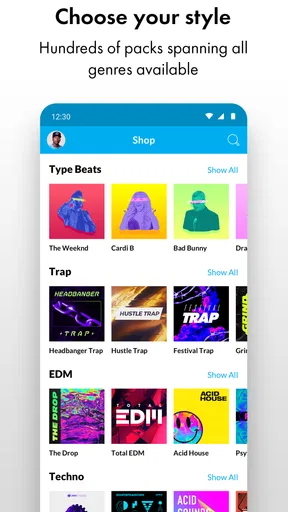
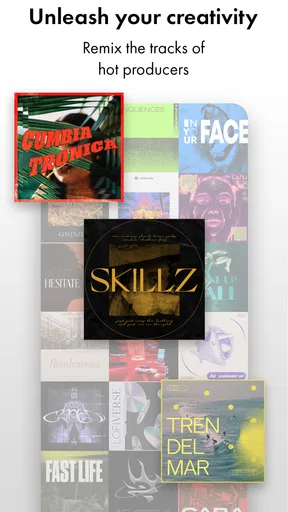
The app offers a treasure trove of loops and samples spanning a wide array of genres. From hip-hop to EDM, to rock and pop, there’s something for everyone. I started with a hip-hop beat, and within minutes, I was layering sounds like a pro. The drag-and-drop functionality is intuitive, making it super easy to experiment and find your sound.
Features That Hit the Right Note
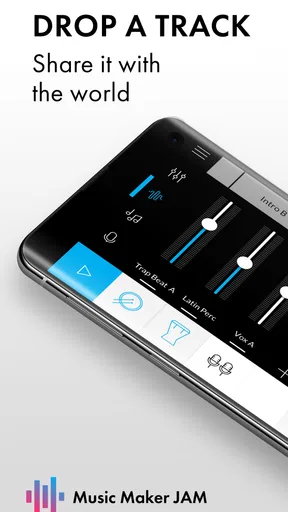
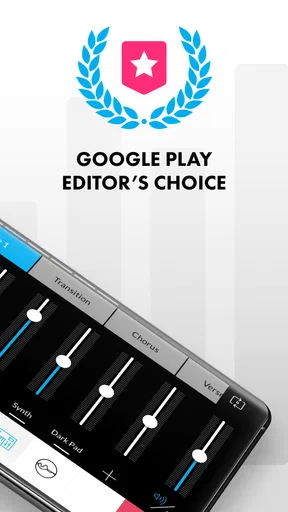
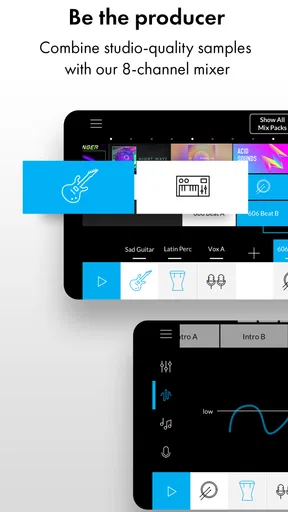
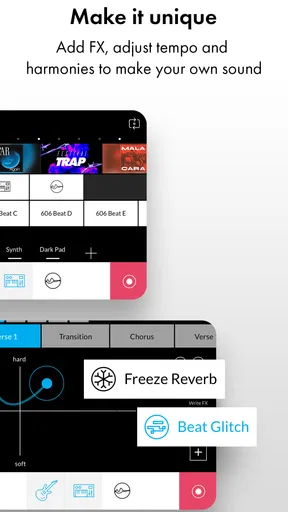
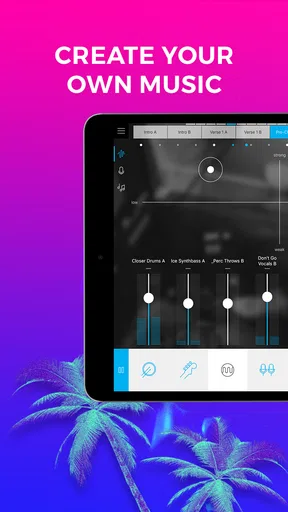
One of the standout features for me is the 8-channel mixer. It’s like having a mini recording studio in your pocket. You can tweak each track, adjust the volume, and play around with the balance until it’s just right. The mixer gave me the freedom to tailor my beats exactly how I wanted them.
Another cool feature is the real-time effects. Want to add some reverb or echo? Just tap a few buttons, and you’re good to go. It’s amazing how much you can transform a track with these effects. Plus, the app updates regularly, so you’re always getting fresh sounds and features to play with.
Community and Sharing
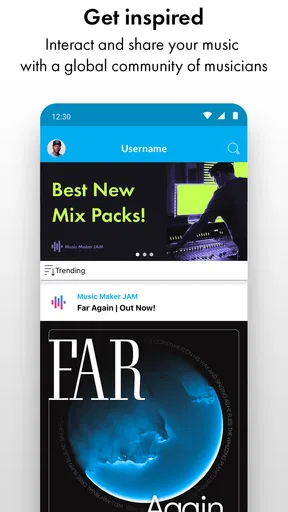
The social aspect of Music Maker JAM is a huge plus. You can share your creations with the community, get feedback, and even collaborate with other users. It’s a vibrant space where creativity thrives. I uploaded a couple of my tracks and was pleasantly surprised by the encouragement and tips from fellow beatmakers.
And if you're feeling shy, there’s no pressure to share. You can keep your masterpieces private or just share them with your friends. The app makes it easy to export your tracks, so you can send them via email, or even upload them to your favorite social media platforms.
Is It for Everyone?
While Music Maker JAM is pretty accessible, it might feel a bit overwhelming at first for absolute beginners. But don’t let that scare you off! There are plenty of tutorials and guides to help you get the hang of things. Plus, the more you play around with it, the more intuitive it becomes.
For those who are already familiar with music production, the app offers enough depth to keep you engaged. It’s a fun way to sketch out ideas on the go, and who knows, you might just create your next big hit!
Wrapping It Up
So, is Music Maker JAM worth a download? Absolutely! It’s a versatile tool for music lovers of all levels. Whether you’re looking to kill some time with a new hobby or serious about making music, this app has got you covered. It’s like having a portable studio at your fingertips.
Ready to unleash your inner musician? Jump into the world of Music Maker JAM and start creating. You might just surprise yourself with what you can come up with!
Pros
- User-friendly interface for beginners.
- Wide range of music genres available.
- Regular updates with new features.
- High-quality sound samples.
- Seamless integration with social media.
Cons
- In-app purchases can add up quickly.
- Occasional crashes on older devices.
- Limited features in the free version.
- Requires internet for most functions.
- Ads can be intrusive at times.
FAQs for Music Maker JAM: Beatmaker app
What are the main features of Music Maker JAM?
Music Maker JAM offers an extensive sound library with over 300 mix packs, allowing users to create unique tracks across genres like hip-hop, EDM, pop, and more. The app includes a multi-track mixer, customizable loops, and pitch-shifting capabilities. Users can also share their creations on social media or via the app’s community.
Is Music Maker JAM suitable for beginners?
Yes, Music Maker JAM is designed to be user-friendly, making it ideal for beginners. The intuitive interface allows users to easily drag and drop loops, adjust volume levels, and experiment with different sounds. For those new to music creation, the app provides tutorials and a supportive community for guidance.
Does Music Maker JAM offer in-app purchases?
Music Maker JAM is free to download, but it offers in-app purchases. Users can buy additional sound packs and features to enhance their music-making experience. While the free version provides a solid foundation, purchasing premium content can unlock more creative possibilities and advanced tools.
Can I use my own samples and loops in Music Maker JAM?
Yes, Music Maker JAM allows users to import their own samples and loops. This feature enables greater customization and creativity by incorporating personal sounds into your projects. Users can upload from their device, offering flexibility in creating unique and personalized tracks.
Is there a community for sharing music on Music Maker JAM?
Music Maker JAM features a vibrant community where users can share their creations, receive feedback, and discover tracks by other artists. This social aspect of the app encourages collaboration and inspiration, fostering a supportive environment for both novice and experienced music makers.


